
Introduction: The Challenge of Three-Phase Commissioning
In industrial facilities, commercial buildings, and high-capacity electrical installations, three-phase power systems are the standard. Monitoring power consumption, power factor, and harmonic distortion across these systems requires advanced, multi-phase smart energy meters. Sourcing and installing these meters is a routine task for B2B electrical contractors, solar installers, and panel builders.
However, during the commissioning and startup phase, one of the most common and disruptive issues is the appearance of 'Error 01' (often displayed as 'Err 01', 'Err-01', or a flashing error code) on the meter's digital LCD screen. This error blocks the meter from displaying accurate consumption data and indicates a fundamental problem with the installation. This guide provides a detailed technical breakdown of what causes Error 01 on smart energy meters, how to diagnose the issue on-site, and how to resolve it to ensure accurate billing and power quality monitoring.
The Electrical Physics of Phase Sequence in Multi-Phase Systems
To understand what triggers Error 01, we must review the fundamentals of three-phase electrical systems.
A three-phase electrical supply consists of three individual alternating currents (typically labeled L1, L2, L3 or Phase A, Phase B, Phase C) that are generated by a single source. These three voltages are sinusoidal waves of equal frequency and amplitude, but they are physically and temporally out of phase with each other by exactly 120 electrical degrees.
Phase Sequence (or phase rotation) refers to the chronological order in which the three phase voltages reach their peak positive values:
Multi-phase smart energy meters are highly sophisticated digital devices that monitor these voltage waveforms simultaneously. They are programmed with a specific expected phase sequence. When the physical wiring does not match this expected sequence, the meter's internal microprocessor detects a conflict and triggers Error 01.
Common Causes of Error 01 on Multi-Phase Meters
While phase sequence is the primary driver, there are several specific installation mistakes that will cause a smart energy meter to display Error 01:
1. Reversed Phase Sequence (A-C-B Rotation)
This is the most common cause of Error 01. During panel wiring, the incoming main power lines might be connected in a reversed sequence (such as swapping the Phase B and Phase C wires at the meter's voltage input terminals). The meter detects that the voltage wave on Phase C is peaking before the voltage wave on Phase B, resulting in a phase rotation fault.
2. Missing Phase (Single-Phasing Condition)
If one of the three incoming phases is completely disconnected, has a blown fuse upstream, or is experiencing a severe brownout, the meter cannot sample all three waveforms. When the microprocessor attempts to calculate the phase relationship but detects a zero-voltage state on one of the channels (e.g., L2 is dead), it cannot establish a valid phase sequence and flags Error 01 as a system alarm.
3. Misaligned Voltage and Current Phase Pairs
In three-phase four-wire (3P4W) systems, each phase's voltage must be paired with its corresponding current transformer (CT) measurement channel. If you connect Phase A's voltage to terminal V1, but physically mount the current transformer for Phase B (CT2) on the Phase A wire, the phase angle between the measured voltage and current will be shifted by 120 degrees. The meter's software recognizes this extreme, unrealistic phase shift as a fundamental installation error and displays Error 01.
4. Reversed Polarity of Current Transformers
If one or more of the external current transformers are clamped onto the busbars backward, the current signal is phase-shifted by 180 degrees. This shifts the active power calculation into a negative quadrant on that specific phase. If the meter detects positive power on two phases but negative power on the third phase (under normal consumption conditions), it identifies an installation anomaly and triggers the Error 01 alarm.
Step-by-Step Diagnostic and Resolution Guide
If you encounter Error 01 during commissioning, follow this systematic troubleshooting procedure:
Step 1: Use a Phase Rotation Tester
Before modifying any wiring, verify the phase sequence of the main electrical supply using a handheld industrial phase rotation meter.
Step 2: Measure Terminal Voltages
Use a digital multimeter to measure the phase-to-phase and phase-to-neutral voltages directly at the meter's voltage terminal block.
Step 3: Verify and Correct Phase Matching
Trace each voltage and current channel connection to ensure they are perfectly aligned.
Step 4: Correct Reversed Terminals at the Meter
If you confirm that the main line rotation is correct, but the meter is still showing Error 01, the issue is likely a simple swap of the voltage input wires at the meter.
Sourcing Reliable Multi-Phase Meters: The DAQCN Advantage
To simplify three-phase installations and reduce commissioning errors, B2B wholesalers and contractors prefer to source smart energy meters with advanced diagnostic software.
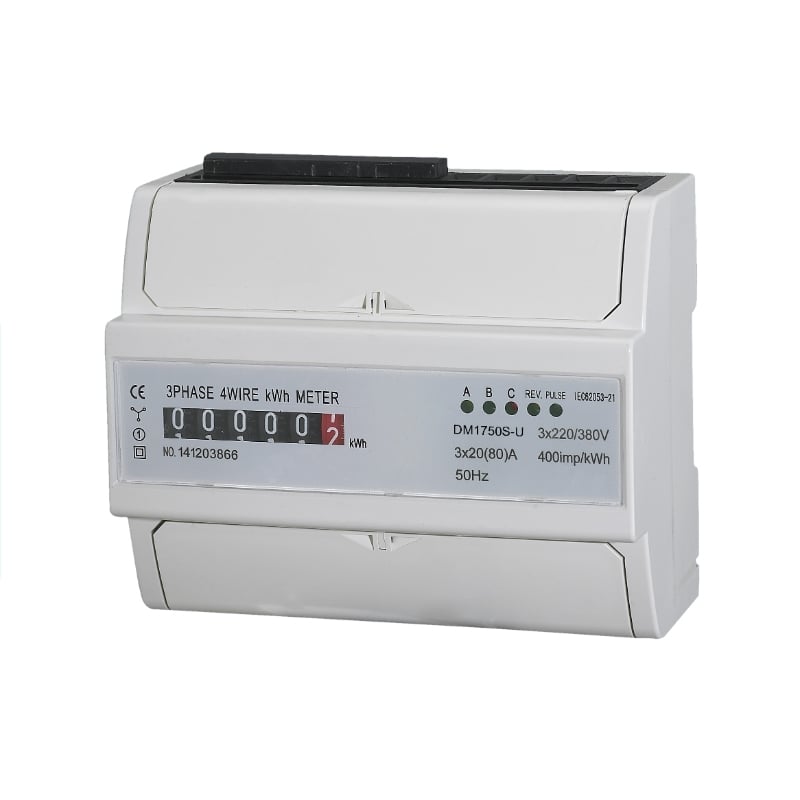
At DAQCN, we manufacture industrial-grade smart energy meters designed to streamline installation and troubleshooting:
For distributors, sourcing DAQCN multi-phase meters provides your customers with an easier-to-install, highly resilient metering solution that reduces on-site support costs and installation delays.
Conclusion: Streamlining Three-Phase Meter Installations
Error 01 on a multi-phase smart energy meter is a clear indicator of a phase sequence conflict or phase-matching error. By systematically testing phase rotation, verifying terminal voltages, and ensuring that each voltage channel is paired with its corresponding current transformer, electrical installers can quickly clear the error and guarantee highly accurate metering. Partnering with an industry-leading manufacturer like DAQCN ensures you are utilizing smart, robust energy meters that make B2B commissioning fast, simple, and error-free.
Discover DAQUAN’s CE/TUV-certified relays, timers, energy meters & WiFi smart switches for industrial automation. ISO9001 factory in Wenzhou, 30 km to airport, global OEM/ODM.
No. 172, Xinguang Avenue, Xinguang Industrial Zone, Liushi Town
Copyright © 2026 WENZHOU DAQUAN ELECTRIC CO.,LTD All rights reserved. Privacy Policy
 EN
EN
 Hot News