
Introduction: The Convergence of Smart Tech and Heavy Industry
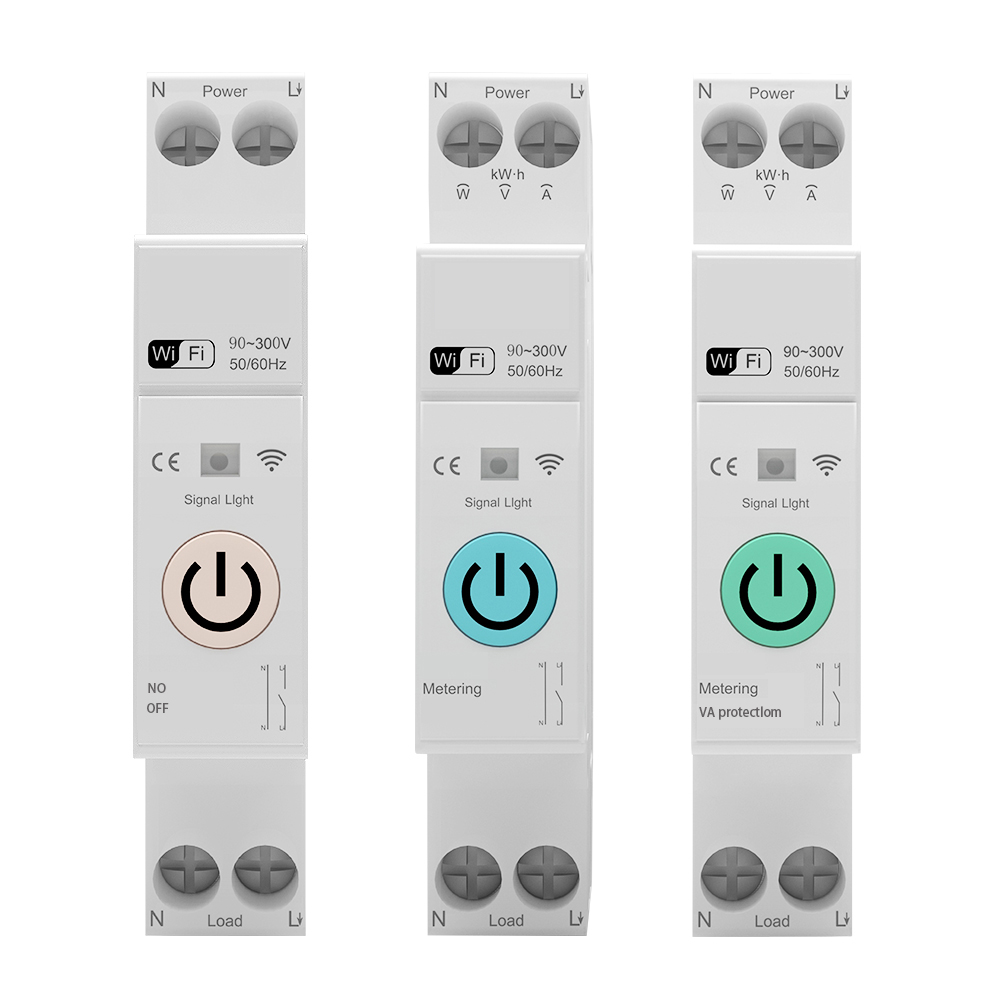
The integration of Internet of Things (IoT) technologies and WiFi smart relays into modern industrial and commercial environments has revolutionized facility management. Smart relays allow plant managers, electrical engineers, and wholesalers to monitor electrical loads, schedule operations, and control systems remotely via mobile apps or centralized software platforms.
However, deploying these sensitive electronic smart devices into environments dominated by heavy industrial machinery introduces a major engineering challenge: Electromagnetic Interference (EMI) and power line noise. When a high-power electric motor, variable frequency drive (VFD), or welding machine shares the same electrical grid or power line as a WiFi smart relay, the resulting electrical noise can cause the smart relay to frequently disconnect from the wireless network, experience software lockups, trigger false switching operations, or fail permanently. This comprehensive guide provides deep technical insights and step-by-step engineering solutions to resolve interference and stabilize your smart industrial network.
Understanding the Dual Channels of Interference
Electromagnetic interference affecting a WiFi smart relay typically originates from heavy machinery and travels through two distinct physical pathways:
1. Conducted Interference (Power Line Noise)
This is the most common form of interference in industrial panels. Heavy machinery, particularly devices with large inductive loads or high-frequency switching electronics like VFDs, generates massive electrical noise directly on the power grid.
This noise consists of high-voltage transient spikes, high-frequency harmonics, and severe voltage sags or swells that occur when heavy loads start and stop. This electrical pollution travels down the physical copper wires into the power supply stage of the smart relay. If the smart relay's internal filtering is inadequate, this conducted noise can disrupt the sensitive DC voltages powering the on-board microprocessor and the 2.4 GHz WiFi radio, causing network dropouts or system reboots.
2. Radiated Interference (Electromagnetic Fields)
Heavy electric motors, magnetic contactors, and unshielded high-current cables emit strong electromagnetic and radio frequency fields (RF fields) into the surrounding air. Because WiFi smart relays utilize high-frequency radio waves (2.4 GHz) to communicate with wireless routers or access points, these strong local electromagnetic fields can overwhelm the smart relay's miniature PCB antenna, degrading the signal-to-noise ratio (SNR) and causing packet loss, high latency, or complete WiFi disconnection.
Common Symptoms of Smart Relay Interference
If your WiFi smart relays are suffering from interference, you will likely observe one or more of these common symptoms:
Step-by-Step Engineering Diagnostic Process
To identify and isolate the source of the interference on your control line, follow this systematic diagnostic process:
Step 1: Analyze the Correlation of Failures
Document exactly when the smart relay experiences network dropouts or switching errors.
Step 2: Test Using an Isolated Power Supply
To determine if the interference is primarily conducted (through the wires) or radiated (through the air):
Practical Solutions to Resolve Smart Relay Interference
To protect your smart relays and ensure stable wireless operation alongside heavy industrial machinery, implement these engineering fixes:
Solution A: Install a Power Line EMI Filter
For conducted noise, connect a high-quality, single-phase power line EMI filter (such as a Pi-filter or LC network) directly upstream of the WiFi smart relay's power input terminals. The filter should be mounted as close to the smart relay as possible. This filter blocks high-frequency noise and voltage transients on the power line from entering the smart relay's sensitive electronics, while allowing clean 50/60 Hz AC power to pass through.
Solution B: Utilize Dedicated Control Transformers
Avoid powering smart relays directly from the same heavy-duty power lines that supply high-current machinery. Instead, install a dedicated control transformer or an isolated DC power supply to feed the smart electronics. Isolation transformers provide physical and electrical separation between the noisy power grid and the sensitive control circuit, dramatically reducing common-mode and differential-mode noise.
Solution C: Upgrade to Shielded Enclosures and External Antennas
Electrical control cabinets are typically made of sheet steel, which acts as a Faraday cage, blocking WiFi signals from reaching internal devices.
Solution D: Implement RC Snubbers on Contactors
Heavy-duty magnetic contactors switching nearby can generate severe voltage spikes during contact opening. Install RC snubber networks directly across the coils of these contactors to absorb the inductive energy and suppress the arc before the noise can radiate or conduct to the smart relay.
Why DAQCN Smart Relays Offer Industrial-Grade Noise Resistance
At DAQCN, we design our smart relays to thrive in the most challenging industrial environments, not just clean residential or commercial spaces. Our industrial-grade smart relays offer:
For B2B wholesalers, automation contractors, and plant engineers, partnering with DAQCN means sourcing smart control components that are built from the ground up for industrial resilience, eliminating wireless reliability concerns.
Conclusion: Achieving Reliable Industrial IoT
Resolving interference between WiFi smart relays and heavy industrial machinery is a matter of proper electrical isolation and shielding. By systematically identifying the noise source, installing EMI filters, using isolated control power, and optimizing antenna placement, engineers can enjoy the benefits of smart IoT control without compromising system stability. Choosing robustly designed components like DAQCN smart relays provides the foundation for a reliable, noise-free smart industrial network.
Discover DAQUAN’s CE/TUV-certified relays, timers, energy meters & WiFi smart switches for industrial automation. ISO9001 factory in Wenzhou, 30 km to airport, global OEM/ODM.
No. 172, Xinguang Avenue, Xinguang Industrial Zone, Liushi Town
Copyright © 2026 WENZHOU DAQUAN ELECTRIC CO.,LTD All rights reserved. Privacy Policy
 EN
EN
 Hot News